
Pre Blasts
Pre-blasts are written by the Q for a particular upcoming workout for the purpose of:
Motivating other PAX to HC (Hard Commit to going) and attend
Telling PAX if there is certain gear to bring (bring the gear if you have it, if not there is usually spare or the Q gets creative)
To create a pre-blast, follow the steps:
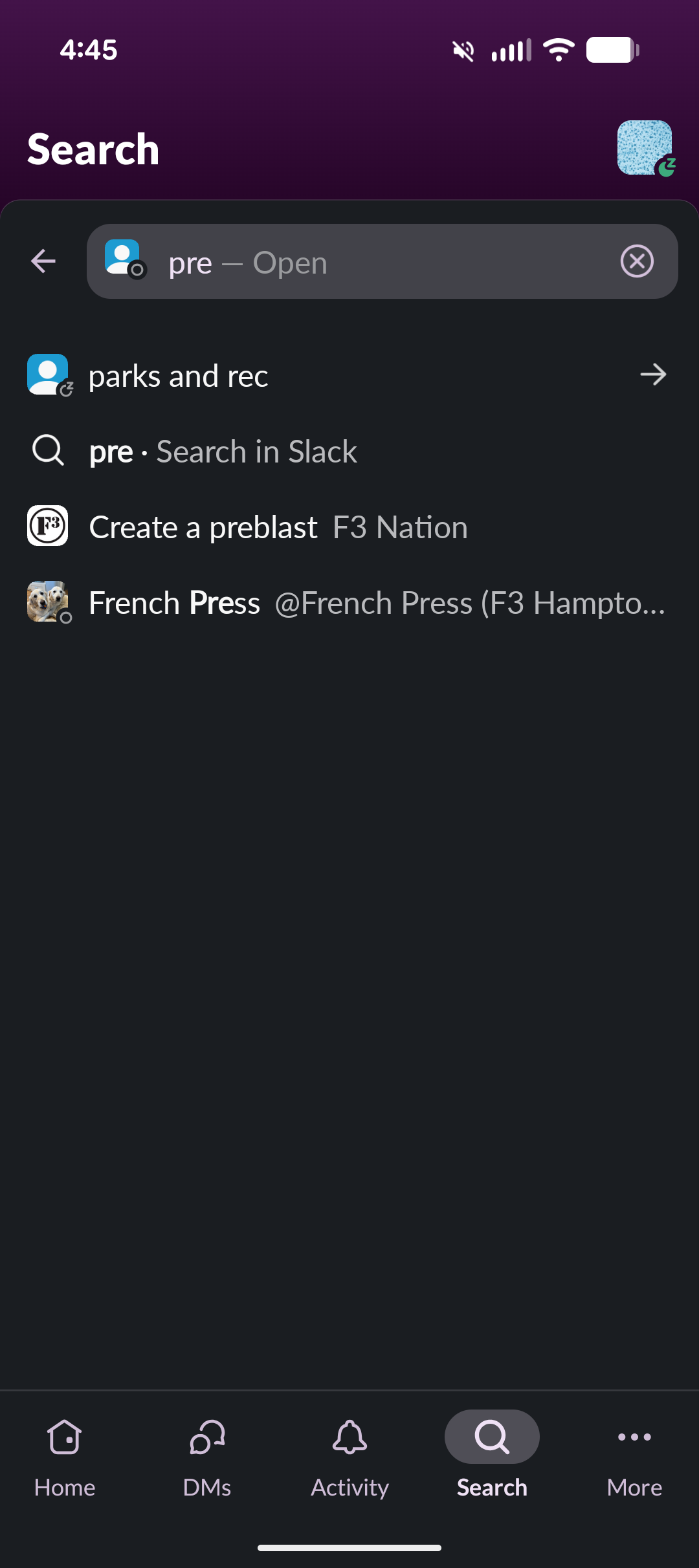
Search “pre blast” in the Slack search bar, and click on “Create Back Blast F3 Nation”
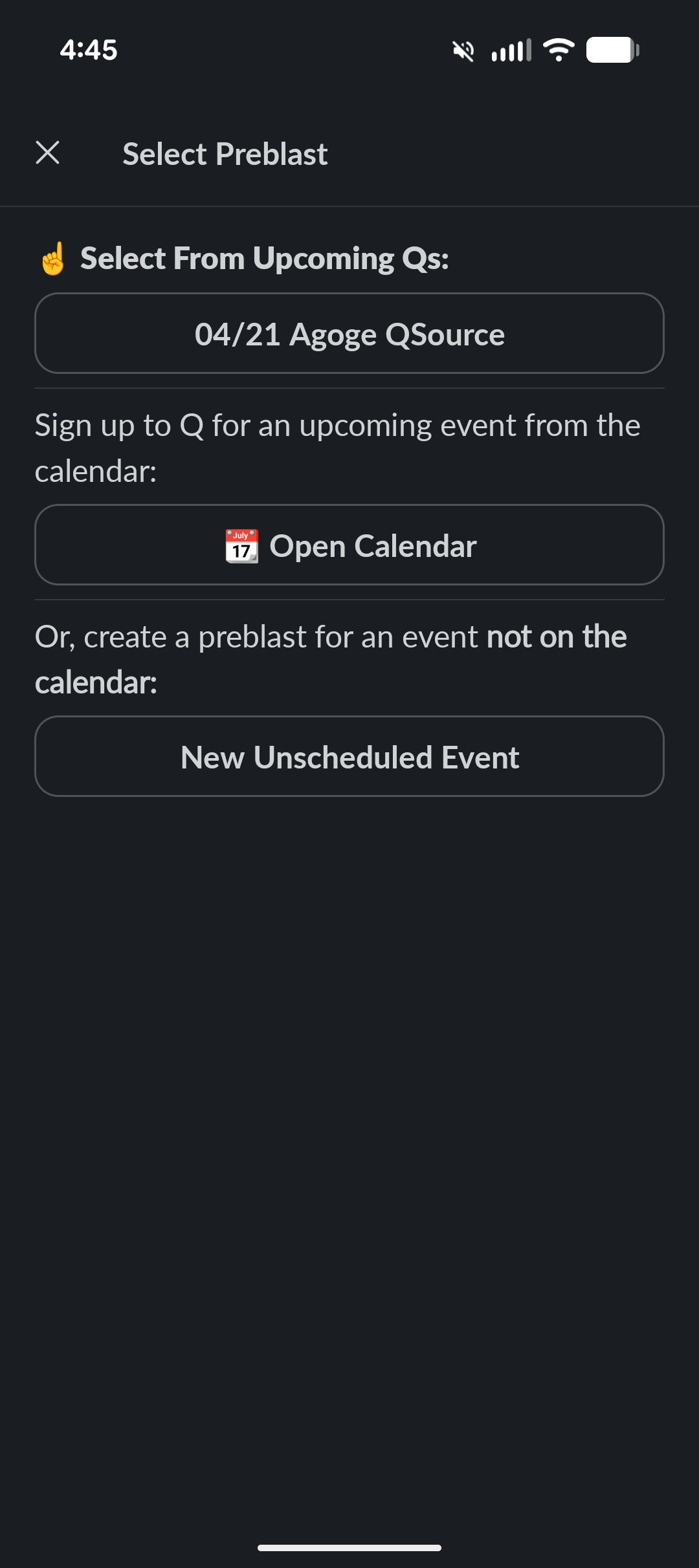
If you signed up for a Q through the calendar, it will automatically populate
If not, you can use the link to the calendar to sign up for a “regular” Q in the future
If not doing either of the above, you can use the “New Unscheduled Event”, for things like an upcoming CSAUP that someone on the SLT has not put in the calendar yet (this would create a double entry if you used it for a regularly scheduled beatdown)
Fill in the fields and hit Update in the top right corner. It will automatically post to the AO channel in Slack. This will also notify anyone that has already HC’d through the calendar that the pre-blast is posted.
Most of the fields should be pre-populated for a regularly scheduled event.
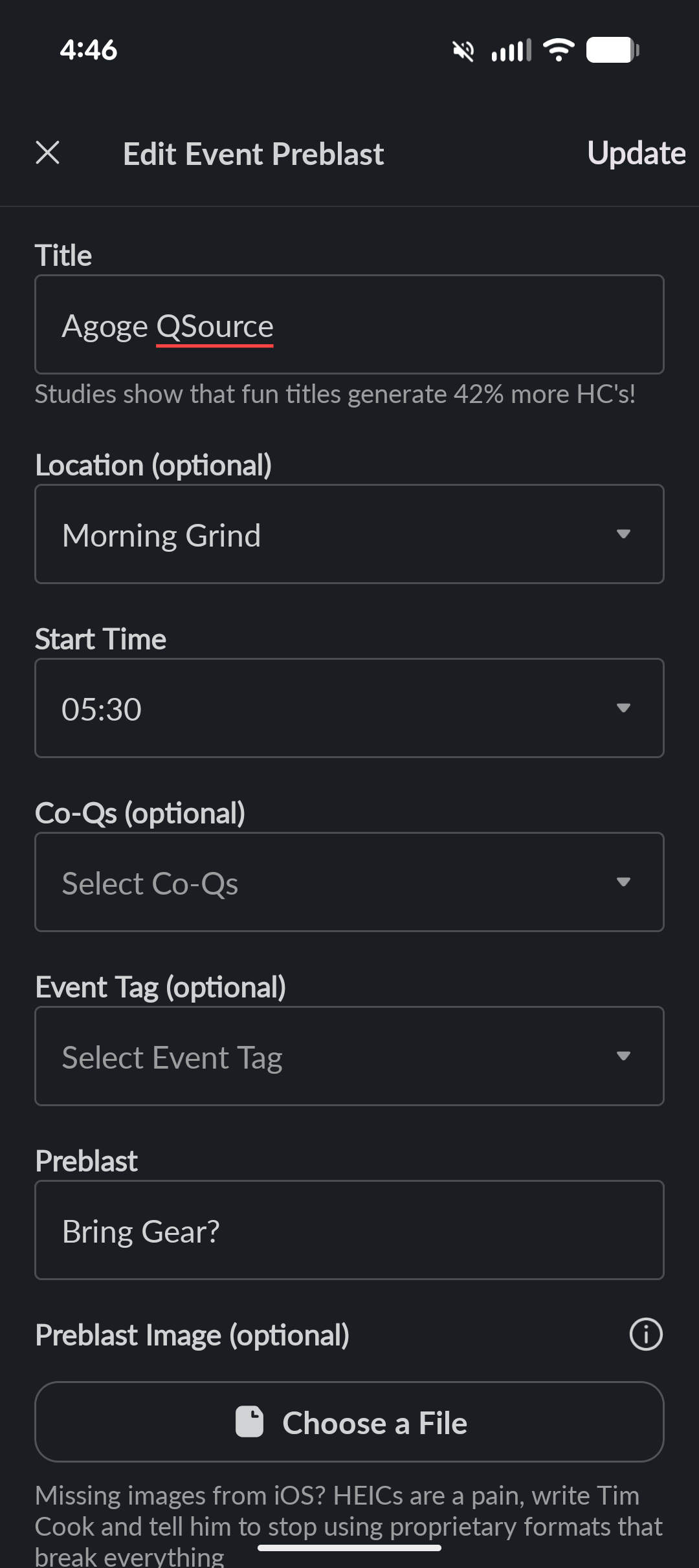
Change the title to something exciting, it does not change the AO name
You can try out the Event Tag drop down, usually leave it blank. If there’s one you want to add, let the IT Q know.
Click on the Preblast “Bring Gear?” field and type in the gear you want PAX to bring and any other heads up (modification to meeting place, requesting coffee or DJ support)
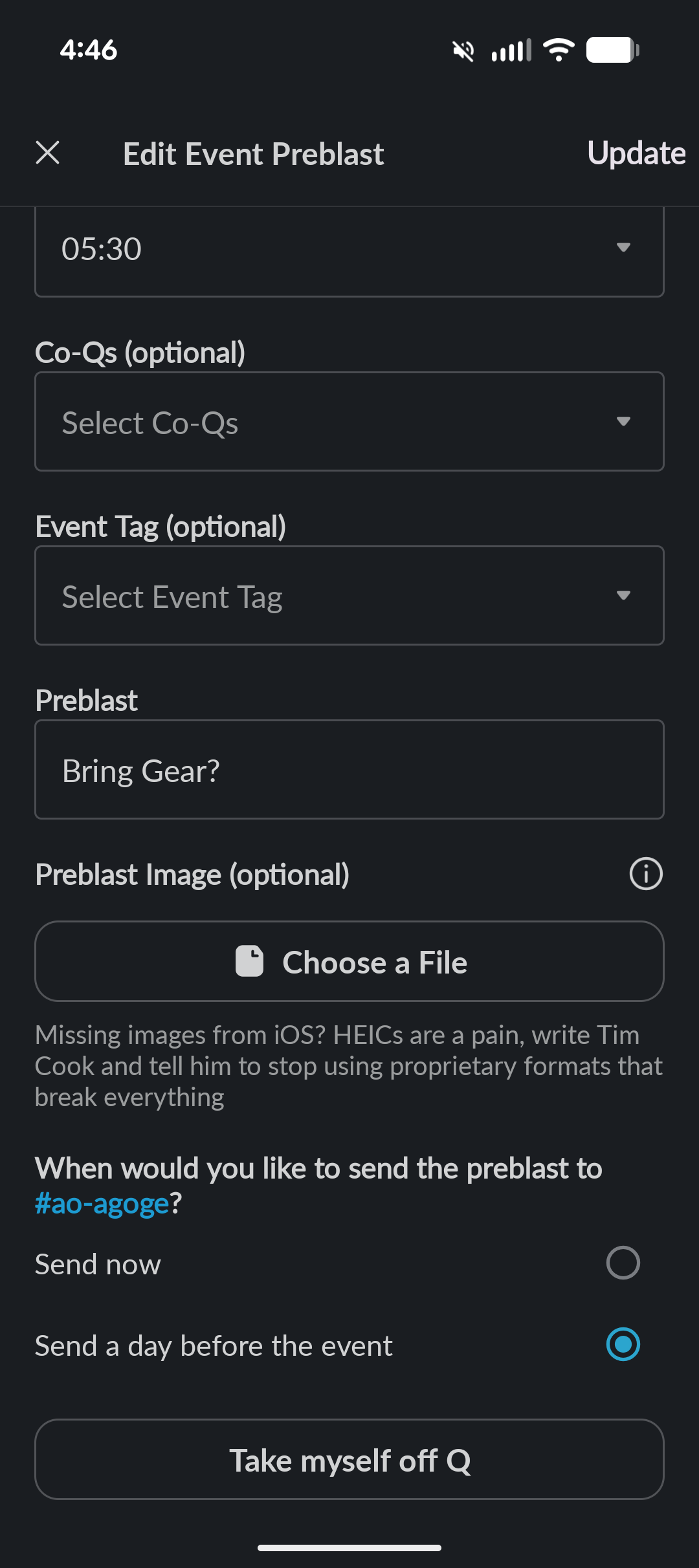
Click submit in the top right or the changes to the pre-blast will not change!